CASE STUDY: A dinner starts long before anyone sits down.
Personal project, London
An evolving personal project

A dinner starts long before anyone sits down.

Show me the work ↓
Caballero’s hand-drawn terracotta wordmark

I designed the identity, built a React invitation, and connected a recipe library to an editable print studio. The tools support my supper-club project, from inviting people to cooking and making keepsakes.

Take a seat at the imaginary table.

Try the invitation with a fictional dinner and sample guest. Accept or decline, add a food memory, and review your note. Nothing is sent or saved; reset or reload to start again.

Try the fictional invitation →

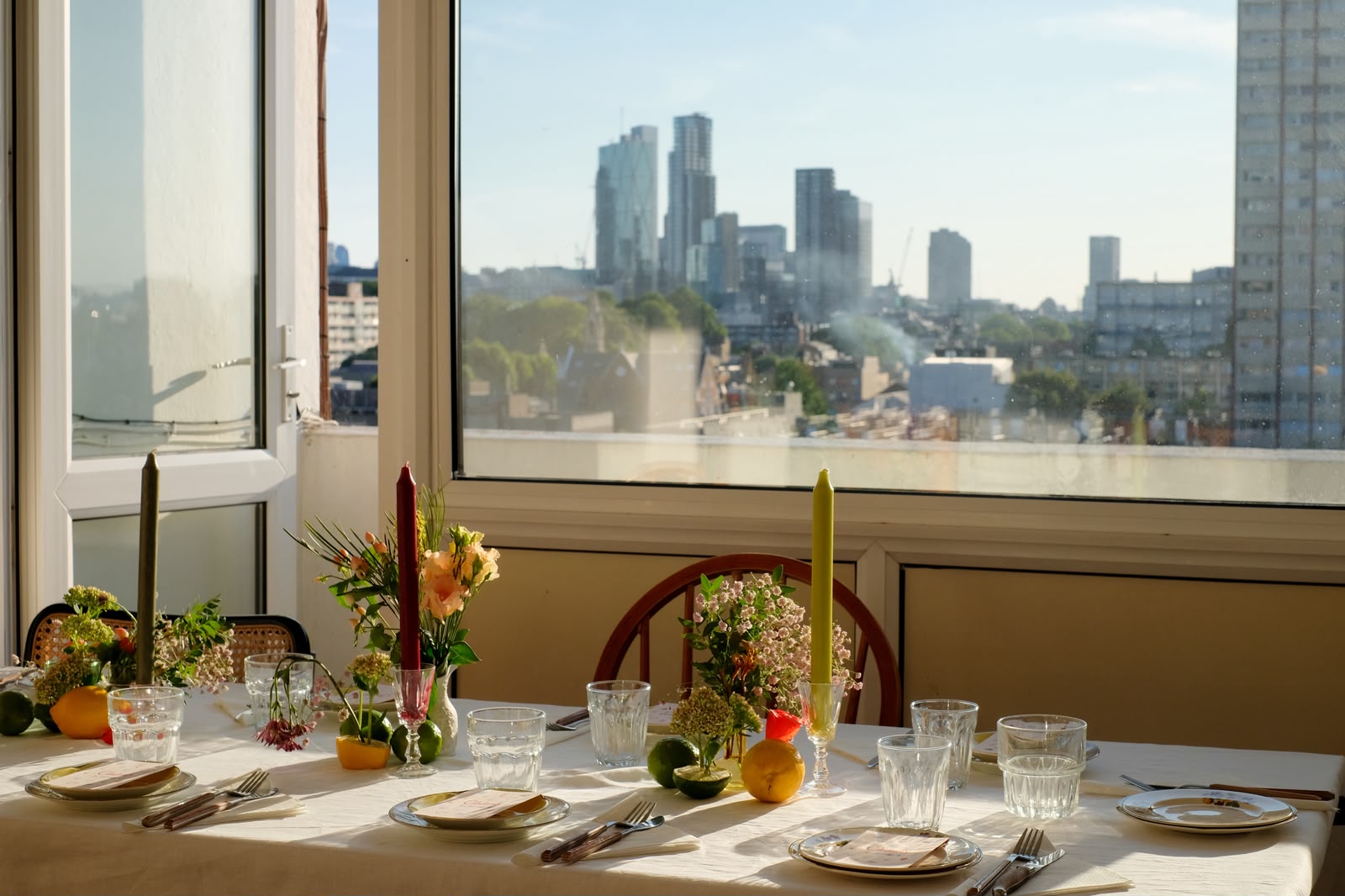
A Caballero’s dinner table in sunlight, set with printed menus, flowers, citrus and candlesEnlarge image +
The experience the tools serve: a real Caballero’s table, with its menus and small details in place.

01 / One identity, different jobs

Warm enough to invite you in. Clear enough to cook with.

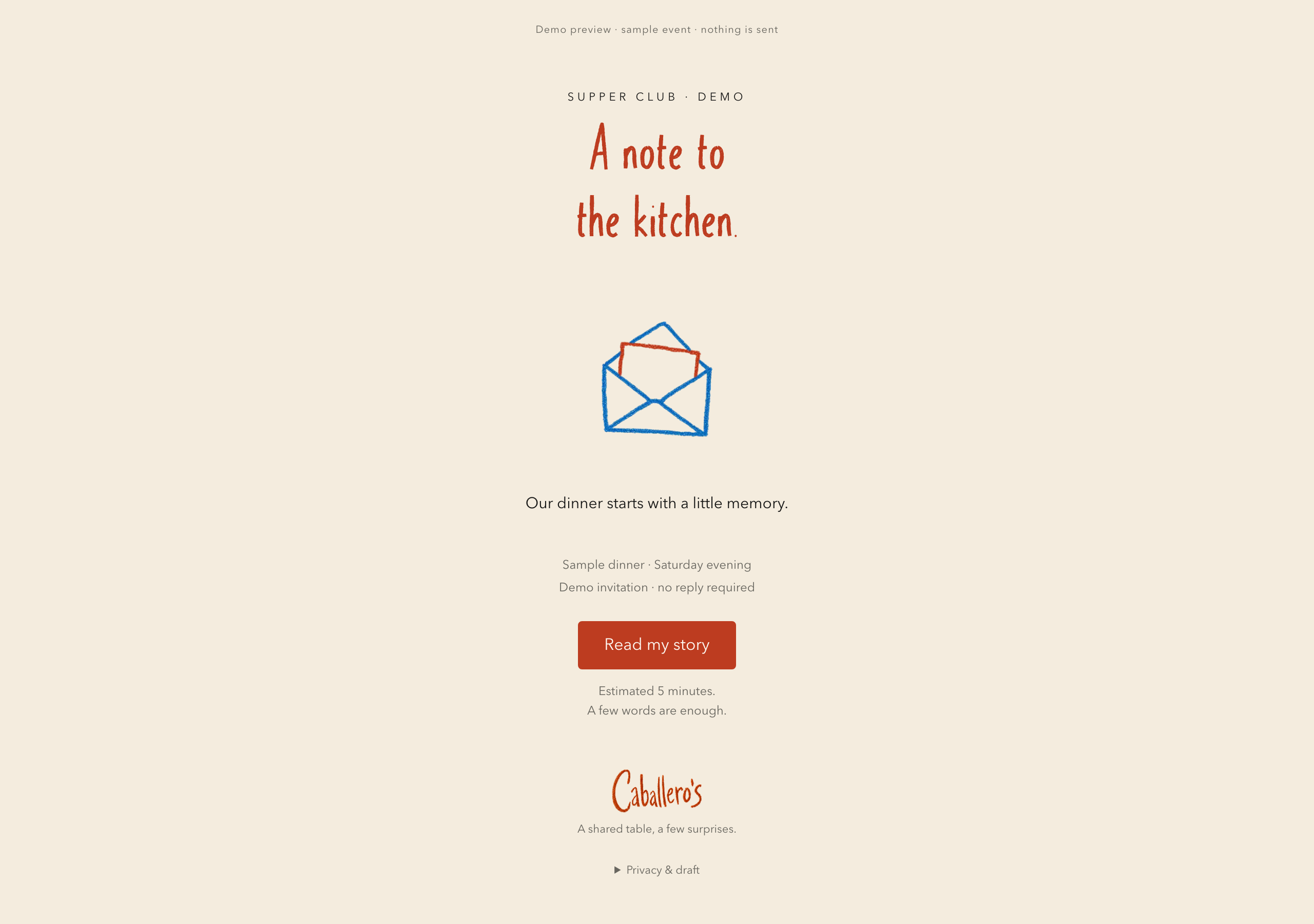
Caballero’s invitation preview with a hand-drawn envelope and A note to the kitchen headingEnlarge image +

The invitation

Start with a story.

A dish you remember. A few words, or a voice note. The invitation gives guests a way into the evening before they arrive. Demo invitation shown.

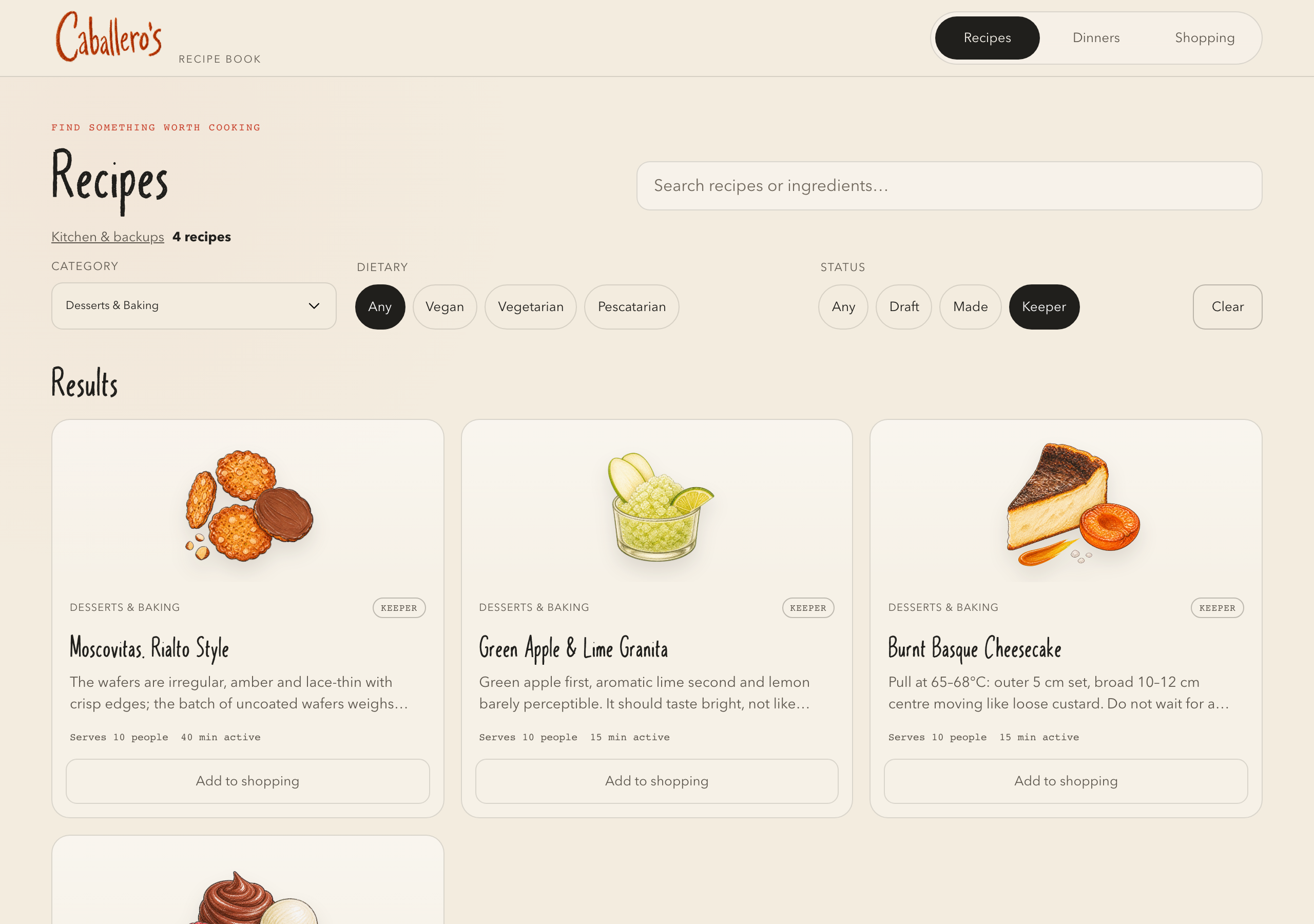
Caballero’s dessert recipe library with Moscovitas, apple and lime granita, and Basque cheesecakeEnlarge image +
The recipe library. Find the dish, check what it needs, add it to the shopping list.

The cook’s route

Cook without losing your place.

Working kitchen tools, tested in my kitchen.

  1. Find a recipe

    What am I cooking?

    Search and filter the illustrated recipe library.

    View the evidence
  2. Follow the method

    What do I do next?

    Keep the current step readable, with progress and actions nearby.

    View the evidence
  3. Check quantities

    How much do I need?

    Open the full recipe quantities without leaving the current step.

    View the evidence
  4. Get back to cooking

    Where was I?

    Close the ingredient sheet and return to the same place.

    View the evidence

Another route: turn the recipe into an editable menu or keepsake in Studio.

Tiny big detail

One less measuring tool.

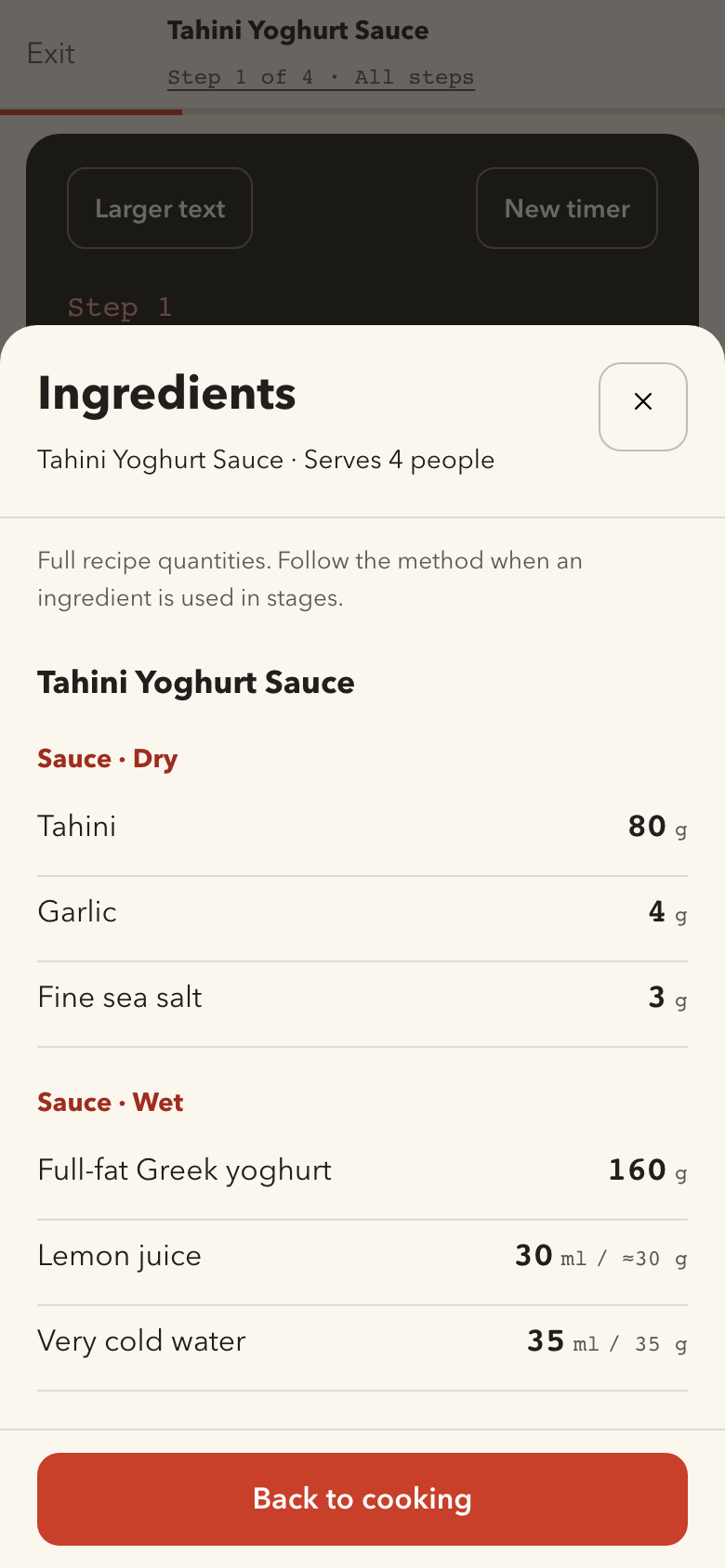
Lemon juice shows millilitres and approximate grams, so you can measure it on the kitchen scales.

Volume and weight together in the ingredient sheet.View full screen
Volume and weight together in the ingredient sheet.

Personality has a job to do.

The crayon identity makes a digital invitation feel personal. The kitchen needs a different kind of care: readable instructions, quantities within reach and a clear next action. The visual language connects them without making them behave the same way.

02 / Cooking, without the clutter

Less hunting for ingredients. Less losing your place.

01 / Cook

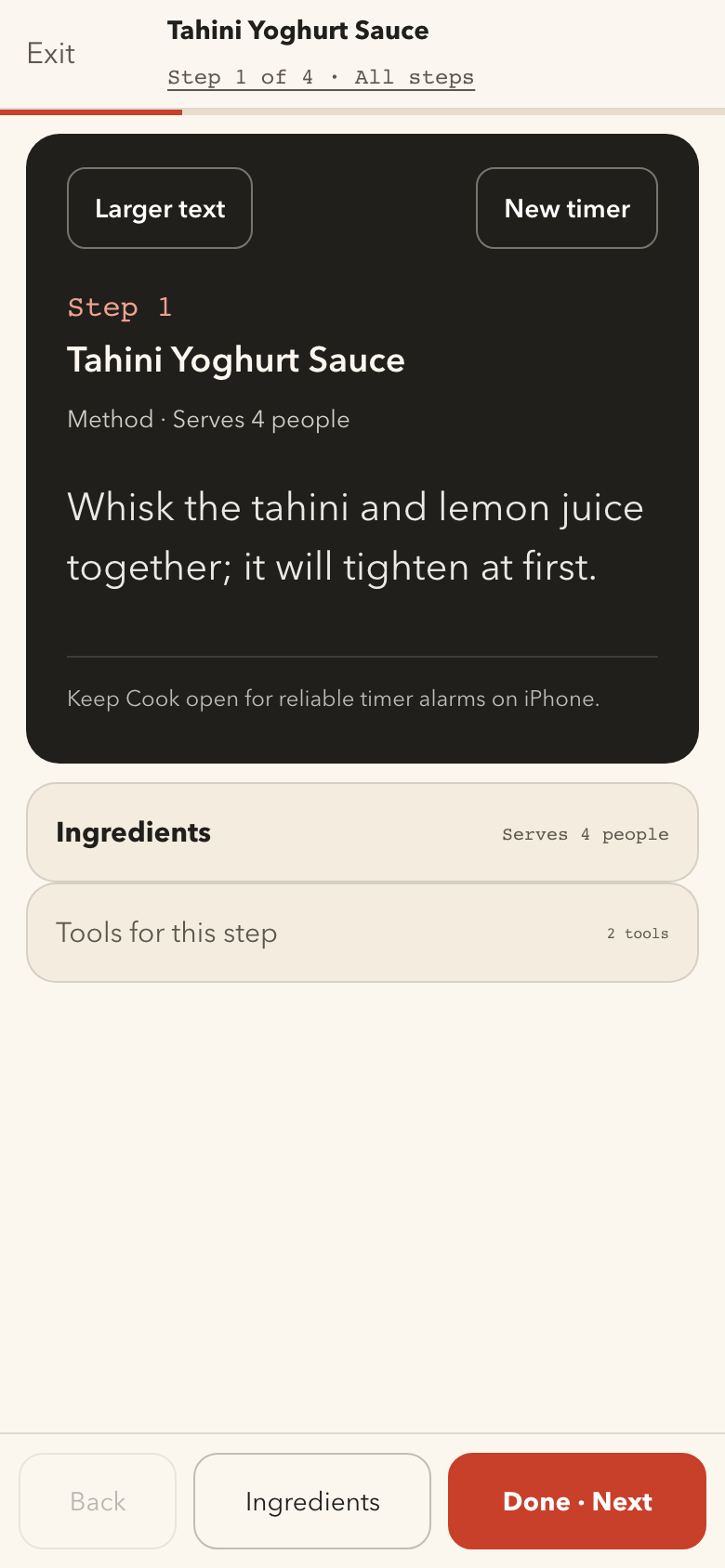
Tahini Yoghurt Sauce in Cook mode: a short instruction, progress and an Ingredients buttonEnlarge image +
One step at a time. The method stays readable and the next action stays put.

02 / Check, then return

Tahini Yoghurt Sauce ingredient sheet with six quantities and a Back to cooking buttonEnlarge image +
Check the quantities, then get straight back to the recipe.

I kept the quantities and temperatures in the instructions, and made the ingredient list easier to reach. I’ve tested it in the kitchen, too.

03 / Beyond the screen

Make the recipe useful. Then make it worth keeping.

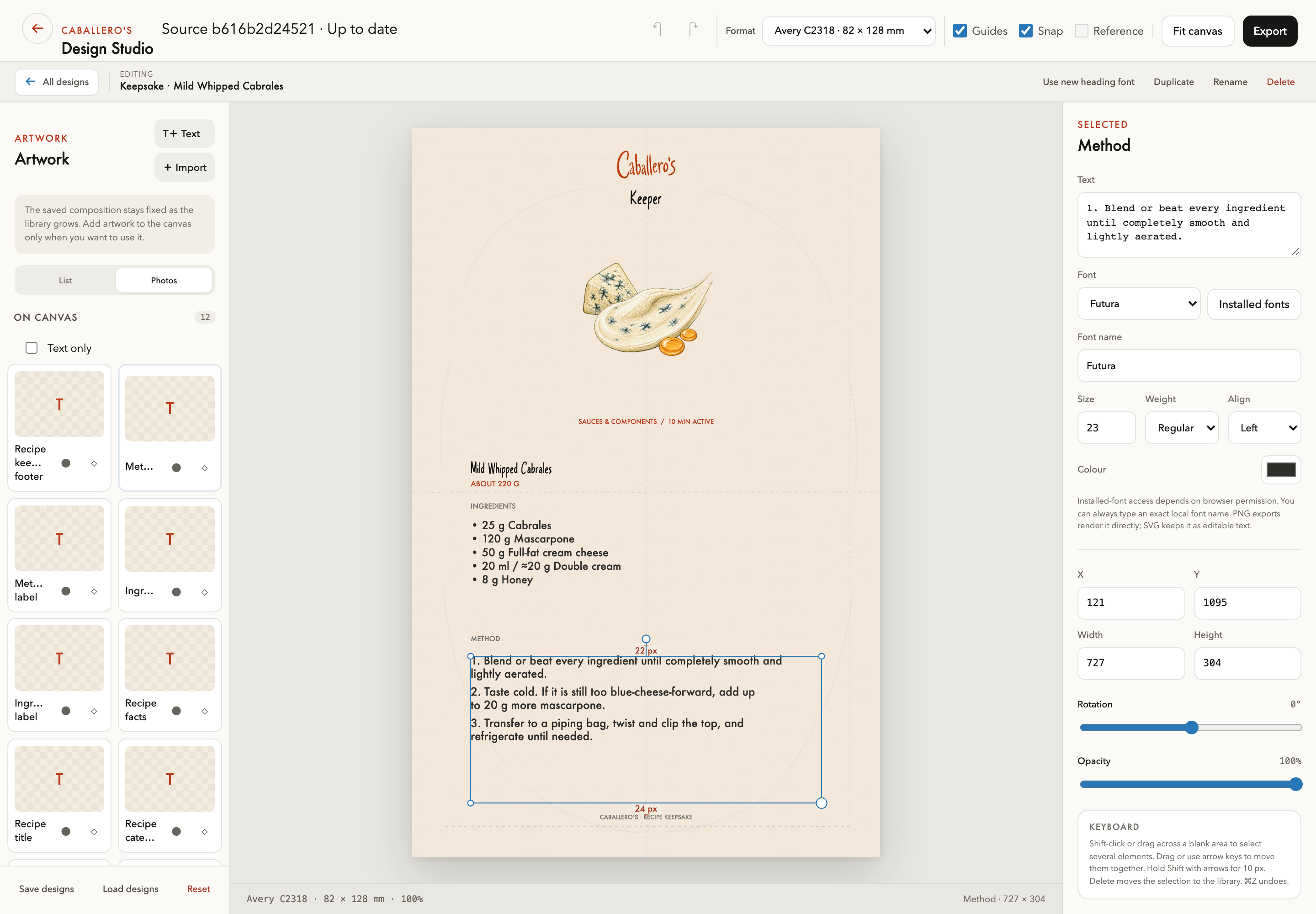
Caballero’s Design Studio with the Mild Whipped Cabrales Method layer selected and text, font, position and opacity controls visibleEnlarge image +
Select a layer, edit the text, and adjust the layout. The Studio keeps the recipe and print controls in the same view.

I connected recipes to editable menus and keepsakes, so a source change can refresh the content without rebuilding the layout. Export supports PNG, PDF and SVG containers; the illustrated artwork remains raster.
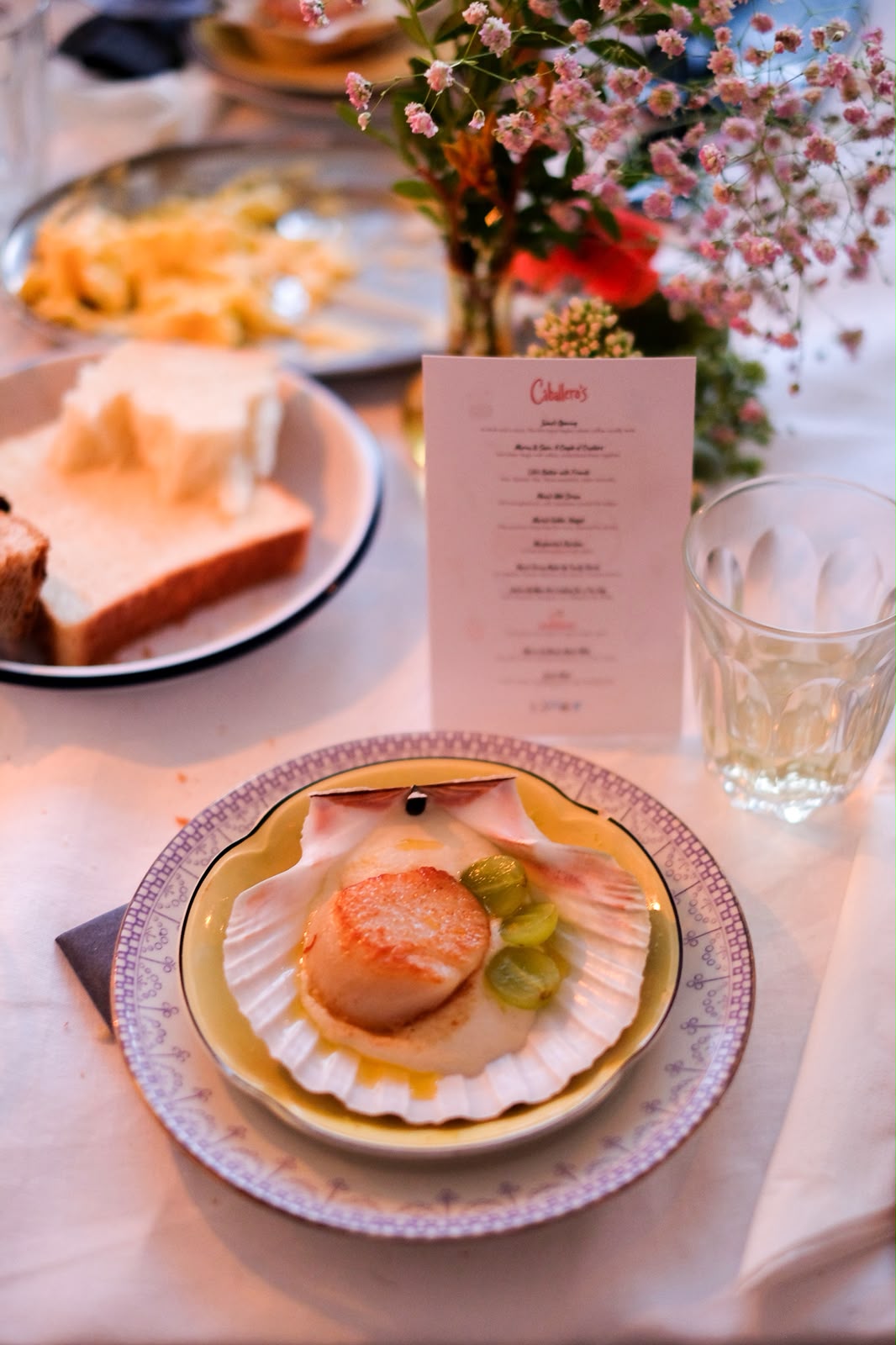
A plated scallop at a Caballero’s dinner, with flowers and a printed menu behind itEnlarge image +

The screen is only part of it.

The invitation, recipes and printed menus all come together at the table.

Built to keep working.

I built the kitchen and Studio in HTML, CSS and JavaScript, and the invitation in React. Recipe files feed the library and print tools. Local storage and IndexedDB keep edits available between sessions.

I used Codex to build and check the tools, and ImageGen and Runway for the invitation’s artwork and motion.

Cloudflare Pages, Workers and D1 support the deployed guest flow and private host tools. Voice transcription uses Workers AI.

The custom invitation type was developed with fontTools and Pillow, using a modified Caveat scaffold under its open font licence.

Working tools, an evolving independent project.
Role, tools & collaborators

Responsibilities

  • Brand and interaction design
  • Frontend implementation
  • AI-assisted development and visual workflows

Tools

  • JavaScript, React and Vite
  • Python, Markdown and TOML
  • Cloudflare Pages, Workers and D1
  • Codex, ImageGen and Runway
  • fontTools and Pillow

A closer look

Access granted.

You can now explore the private projects alongside the rest of my work. No extra steps between case studies.

Access stays in this tab until the session expires. You can lock it at any time using Private access.